Fishbrain - Fishing App
- 4.5
- Rating
- 10.00M
- Installs
- Free
- Price

 Analysis by App-foxy
I keep coming back to Fishbrain for one reason: it turns the scattered knowledge around a fishing trip into something I can check before I leave home. Instead of relying only on a friend’s memory, an old forum post, or a general map, I can use its fishing maps and angler activity to decide where a trip is worth my time. That focus makes it more useful to me than a simple weather app, while still leaving room for my own judgment once I reach the water.
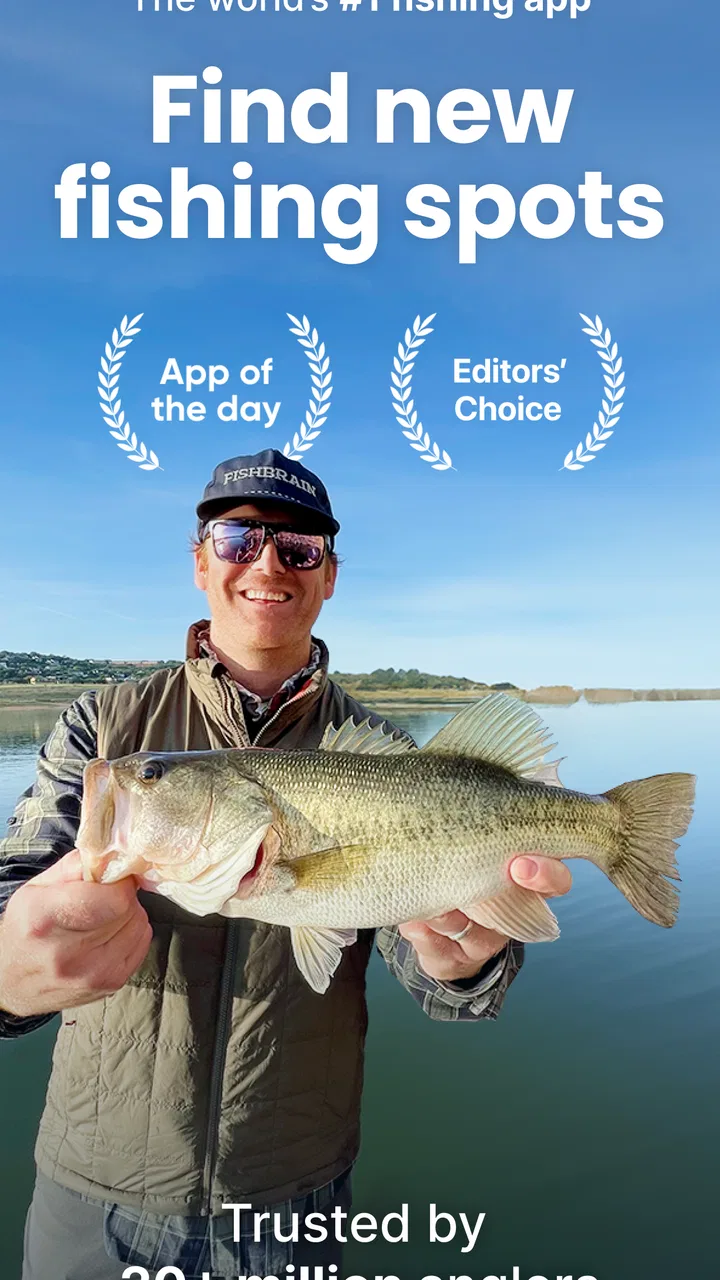
Fishbrain is a free sports app from Fishbrain, aimed at anglers who want help finding fishing spots, understanding local rules, and judging when a bite may be more likely. It is available for users on operating systems starting with version 10, and the current release is 11.52.4. The app is rated Teen, which feels appropriate because it is a practical outdoor community rather than a children’s game.
The app has built a sizeable audience, with over five million installs, around a 4.5 average from roughly sixty-four thousand ratings, and about sixteen thousand written reviews. Those figures do not guarantee that every lake or shoreline will be equally useful, but they do suggest that Fishbrain has enough activity to be worth testing in places where anglers regularly share information.
You May Also Like

 Blood Strike: 2.5 Anniversary
Blood Strike’s Loadouts Turn Every Drop Into a Tactical Gamble
A close look at Blood Strike’s custom loadouts: how fast access to signature weapons reshapes its battle royale rhythm, rewards preparation, and narrows the gap between fights.

 Pandora - Music & Podcasts
Pandora’s Music Is Easy to Start, but Harder to Recover
Pandora’s strength is its low-effort path from a seed to a station. Its weak spot is how much confidence it asks you to place in connection, setup, and quiet recovery.

 8 Ball Pool
 Is Built on Rivalries, Rematches, and Routine
A close look at the rivalries, rematches, shared routines, and unanswered safety questions that turn a quick pool match into a persistent mobile community.

 Samsung Music
’s Quiet Strength Is Playing What You Already Own
Its reach comes less from spectacle than from dependable access to a personal library. That simplicity is both the app’s strongest retention engine and its ceiling.

 AccuWeather: Weather Radar
AccuWeather Review: A Quick, Clear Forecast for Everyday Decisions
For everyday plans, the best forecast is the one you can understand quickly. AccuWeather makes rain timing, radar, and local conditions easy to act on, with a few trade-offs.

 Hill Climb Racing
Why Hill Climb Racing Still Turns Crashes Into One More Run
A tiny car, a bumpy hill and one more upgrade: Hill Climb Racing keeps resurfacing because its simple chaos makes every near-miss feel personal.
More From Our News Desk
View All News


Why the fishing map matters more than a list of features
The central capability is the map. I do not see it as a magic screen that tells me exactly where the next fish is waiting. I see it as a planning layer that helps me compare possible locations, spot patterns from other anglers, and avoid starting a trip completely blind. That distinction matters: the app improves my preparation, but it cannot replace local knowledge, safe access, suitable tackle, or patience.
When I open the map, the useful question is not simply “where are the fish?” It is “what evidence do I have for choosing this place over the next one?” A shared catch, a recent activity marker, or information about the water can give me a reason to investigate. I still need to consider whether the location is legally accessible, whether the bank is safe, and whether the conditions suit the species and technique I plan to use.
This is where Fishbrain differs from ordinary map applications. A standard map may show roads, trails, water, and landmarks, but it does not normally organize those details around an angler’s decision. Fishbrain puts the fishing context first. That saves time when I am comparing unfamiliar waters, especially when I have only a few hours available and do not want to spend the entire outing searching for a workable access point.
The map is also more valuable when I treat it as a research tool rather than a promise. A single report can be outdated or unusually lucky. Several pieces of activity pointing toward the same general area are more useful, although I still avoid assuming that yesterday’s success will repeat today. Weather, water level, season, pressure from other anglers, and bait choice can change the result quickly.
Turning map information into a practical plan
My preferred workflow starts before I pack. I look at the waters near my destination, note the places that appear worth investigating, and then narrow the choice according to travel time and access. I use the app to create a shortlist, not to wander endlessly through every marker. That small change keeps the map from becoming a distraction.
Next, I check the surrounding context. A promising spot that requires questionable access is not really a promising spot. I also compare the information with local regulations and the type of fishing I want to do. Fishbrain’s emphasis on angler rules is helpful here because regulations are easy to overlook when I am focused on gear and bait. I still read the applicable official rules myself, since responsible fishing should never depend on a quick glance at an app.
One practical tip is to separate “interesting” from “usable.” A location may show activity but be unsuitable for a short evening trip because parking, walking distance, or shoreline access makes it inefficient. I have found that the best choice is often not the most active-looking point on the map. It is the place where the available information, legal access, time, and conditions line up.
Another useful habit is to keep expectations flexible. I might begin with one selected area, then move to a backup if the water looks different from what I expected or the bank is crowded. The map works best when it supports that two-location plan. It gives me a starting point and a fallback rather than encouraging me to commit blindly to one marker.
A realistic afternoon with the app
Imagine I have a free afternoon and want to fish somewhere unfamiliar. I do not want to spend an hour driving between random pull-offs, so I first inspect nearby waters in Fishbrain. I look for places with enough angler information to make a comparison, then check whether the route and access make sense. I choose one primary location and keep another nearby option in reserve.
Before leaving, I review the relevant rules and think about whether my intended approach matches the reports I am seeing. If the shared activity suggests a different species or method than the one I had in mind, I can adjust my tackle without bringing every item I own. That is a small but meaningful benefit: the app can influence what I pack, not just where I drive.
At the water, I use the map as a reference rather than staring at the phone. I observe the shoreline, current, cover, wind, and signs of fish. If the conditions do not match the reports, I move carefully or switch to the backup plan. After the trip, recording useful information can make the community more valuable for the next decision, especially when the report explains the situation instead of merely announcing a catch.
That final step is easy to underestimate. A vague report has limited value, while a thoughtful note about the general area, conditions, and approach can help another angler plan more realistically. I like the idea of contributing, but I would avoid sharing sensitive details if I rely on a quiet personal spot. Fishbrain is most useful when community sharing remains helpful without encouraging careless crowding or disrespect for local waters.
Where it beats ordinary alternatives
Compared with a general map, Fishbrain gives me a much more relevant starting point for fishing decisions. Compared with a weather app, it connects conditions with angler activity rather than leaving me to interpret everything alone. Compared with asking one friend, it can expose me to a wider range of local observations. Each alternative still has a role, but Fishbrain reduces the amount of separate searching I need to do.
It is not automatically better than a trusted local guide, fishing club, or official wildlife resource. A guide can explain water behavior and technique in a way a map cannot. A local club may know access details that are not obvious online. Official sources remain the authority for regulations. My best results come from combining those resources: Fishbrain for discovery and community signals, official information for rules, and local judgment for the final call.
The costs of convenience
The free entry point makes the app easy to try, but Fishbrain also includes optional in-app purchases ranging from $1.99 to $199.99 per item. That wide range means I would examine exactly what an upgrade adds before paying. The free experience may be enough for occasional trip planning, while a frequent angler could find premium tools more worthwhile. I would not subscribe simply because a map contains more information; I would pay only if it changes how often I can make better decisions.
Community information has an unavoidable weakness: it can be uneven. Some waters may have plenty of useful activity, while others may offer little that helps a first-time visitor. Reports can also reflect personal skill, unusual conditions, or a one-off success. I treat every marker as a clue, not proof. If you want certainty, this app will disappoint you because fishing itself does not provide certainty.
There is also a social trade-off. Shared spots can help newcomers, but popular locations may become busier when information spreads. Anglers who value privacy may prefer to keep exact locations to themselves. I would use the community carefully, avoid treating another person’s report as an invitation to trespass, and respect local rules and property boundaries.
Phone use outdoors brings its own friction. Looking at a screen can interrupt observation, and a map cannot tell me everything about slippery banks, changing water, insects, or sudden weather. I would check the plan before fishing, then keep the phone available for occasional reference rather than making it the center of the outing. The app supports the experience; it should not replace paying attention to the environment.
Who gets the most from Fishbrain
I think the strongest audience is the angler who explores unfamiliar water, travels for fishing, or has limited time and wants a more informed starting point. Beginners can benefit because the map gives structure to the first decisions: where to look, what information to compare, and which rules deserve attention. It can also help an intermediate angler break out of the same familiar locations.
It is especially useful for someone who enjoys planning. If you like comparing waters, adjusting your equipment to the situation, and keeping notes after a trip, the app has a clear place in your routine. Ice fishing and other specialized outings can also benefit from having a fishing-focused reference rather than relying only on a broad navigation tool.
On the other hand, I would skip it if you already have deep local knowledge, fish the same private water every week, or dislike community-driven information. Someone looking only for tide forecasts, radar, navigation, or official regulations may be better served by dedicated apps and government resources. Fishbrain is not a complete replacement for those tools, and using it alone would leave important gaps.
My recommendation after using its approach
Fishbrain earns its place on my phone because the map changes how I prepare. It helps me move from “there is water somewhere nearby” to a more useful question: “which accessible location gives me the best reason to start there today?” That is a modest promise, but it has real value when time, travel, and unfamiliar surroundings make trial and error expensive.
I would install it for the free experience first and test it against waters I already know. That is the fairest way to judge whether the local activity is useful in your area. If the reports help you plan better, keep using the map alongside official rules and your own observations. If the coverage is thin or you prefer private, highly local knowledge, a fishing club, guide, or specialist information source may serve you better.
My final view is positive but measured: Fishbrain is best treated as a decision aid, not a fish-finding guarantee. Its real strength is connecting maps with angler knowledge, rules, and trip planning. Used with common sense, it can make an unfamiliar outing more deliberate and a short fishing window more productive. Used as an authority on its own, it can create false confidence. For anglers who understand that difference, it is a worthwhile free sports app to keep ready before the next trip.
FAQs for Fishbrain - Fishing App
01What features does Fishbrain offer to enhance my fishing experience?
Fishbrain provides a comprehensive suite of features designed to elevate your fishing adventures. It includes real-time weather updates, species recognition, and detailed maps of fishing spots. Additionally, users can log their catches, connect with a community of anglers, and access tips and strategies from both amateur and professional fishermen.
02Is Fishbrain available for both Android and iOS devices?
Yes, Fishbrain is available for download on both Android and iOS platforms. Users can find the app on Google Play Store for Android devices and the Apple App Store for iOS devices. It ensures a seamless experience across different devices, allowing you to access your account and data from any smartphone or tablet.
03Does Fishbrain require a subscription, or is it free to use?
Fishbrain offers a free version with basic features, but to unlock the full potential of the app, users can opt for a premium subscription. The premium plan provides advanced features such as detailed fishing forecasts, topographical maps, and access to exclusive content and community insights, enhancing your fishing experience significantly.
04How does Fishbrain’s community feature benefit users?
The community feature in Fishbrain is a valuable resource for anglers of all skill levels. It allows users to connect, share their fishing experiences, and exchange tips and advice. This interactive platform fosters learning and collaboration, making it easier for users to discover new fishing spots and techniques from a global network of fishing enthusiasts.
05Can Fishbrain help me identify different fish species?
Absolutely, Fishbrain includes a robust species recognition tool that helps anglers identify various fish species. By uploading photos of their catches, users can receive instant feedback on the species, including statistics and information about their habits and habitats. This feature is particularly beneficial for those looking to expand their knowledge and skills in fishing.
Pros
- Extensive fishing location database.
- Real-time weather and forecasts.
- Community tips from fellow anglers.
- Catch log with detailed stats.
- Species recognition functionality.
Cons
- Monthly subscription for premium features.
- Some features need strong internet.
- Occasional app lags during use.
- Limited offline functionality.
- Ads in the free version.

Fishbrain - Fishing App
Gallery